
Designcenter NX CAM Foundation fact sheet
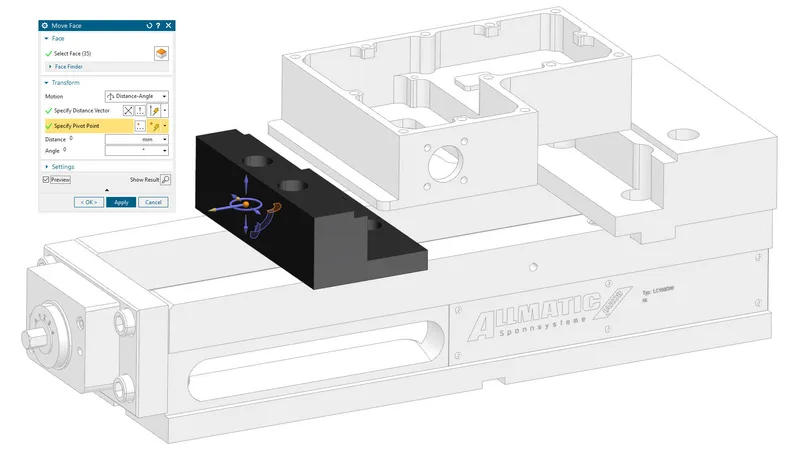
The base module of every Designcenter NX CAM configuration: NC programming tools, verification and postprocessing, with milling and turning added separately.
This three-page fact sheet, dated 2020, describes Designcenter NX CAM Foundation (called NX CAM Foundation in the document), the base module on which every NX CAM product configuration is built. It explains the supporting functions it provides for numerical control (NC) programming and lists the toolpath creation options, such as milling and turning, that are added to it separately.
What the document covers
- Translators for Parasolid, IGES, DXF, STEP and JT data, and the operation navigator for creating, organising and checking NC programs
- Toolpath visualisation, material removal verification, integrated collision checking, and graphical toolpath editing with locking against recalculation
- Integrated postprocessing to production-ready G-code, the Post Configurator for editing or building postprocessors, HTML shop documentation and CAM templates
- Feed rate optimisation based on a specified chip volume
- Model editing for NC work: synchronous modelling, wireframe boundaries, surface patches and extensions, associative copies of master geometry and fixture assemblies under the master model concept
- Available add-ons, including turning, 2.5-, 3- and 5-axis milling, wire EDM, robotics, turbomachinery milling, simulation and machine simulation, plus the NX CAM Teamcenter Client
Who it is for
NC programmers, manufacturing engineers and CAM managers who want to understand the base NX CAM configuration before selecting machining add-ons.
Related product
 Designcenter NX CAMCNC programming, simulation and post-processing from 2.5-axis to multi-axis machining.See the product
More in the Knowledge Center

Have a project in mind?
Tell us what you are building and a NomuTech engineer will get in touch.