
Simcenter 3D Engineering Desktop solution guide
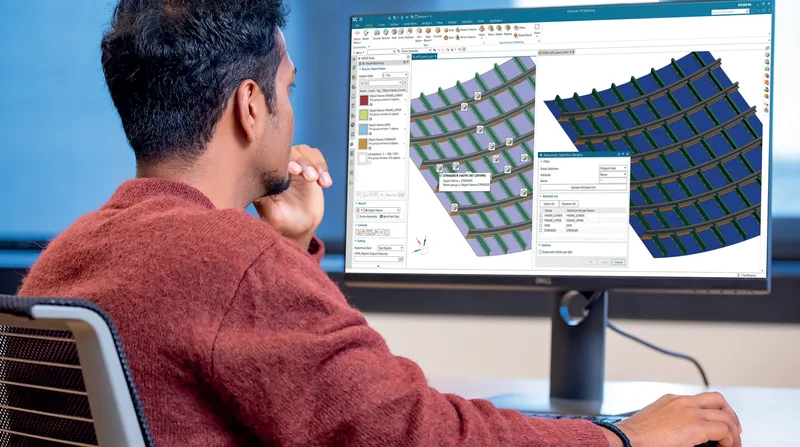
The common pre- and post-processing desktop for all Simcenter 3D simulation disciplines.
A 14-page solution guide to Simcenter 3D Engineering Desktop, the central pre- and post-processing environment for every Simcenter 3D discipline and the minimum prerequisite for all other Simcenter 3D products. It explains how analysis models stay associated with CAD geometry so they update when the design changes, and how one environment prepares models for several finite element solvers.
What the document covers
- Geometry preparation from any CAD source with direct modelling, defeaturing, mid-surfacing and topology abstraction
- Automatic and manual meshing of 0D, 1D, 2D and 3D elements, and assembly FE model (AFEM) management for large models built from instanced component meshes
- Solver environments for Simcenter Nastran, Abaqus, ANSYS, LS-Dyna, MSC Nastran and ADINA, with the analysis types supported by each, including the Simcenter Nastran solution sequences
- Simcenter 3D Laminate Composites for defining plies and laminates on 2D and 3D meshes and evaluating failure criteria
- Design space exploration with HEEDS through Simcenter 3D Design Space Explorer, and process automation with templates and NX Open
- Integration with Teamcenter simulation data management and Teamcenter Share, plus detailed capability charts for pre- and post-processing
Who it is for
CAE analysts and simulation teams in aerospace and defence, automotive, consumer products, industrial machinery and marine, and engineering managers looking to reduce the time spent building analysis models.
Related product
 Simcenter 3DStructural, thermal, motion, acoustic and multiphysics simulation in one environment.See the product
More in the Knowledge Center
 Simcenter 3D acoustics tutorial: motion and ATV encapsulationTutorial · 8.1 MB
 Simcenter 3D for additive manufacturing simulation solution guideSolution guide · 1.7 MB
 Simcenter 3D for aerostructures solution guideSolution guide · 1.6 MB
 Simcenter 3D for durability simulation solution guideSolution guide · 4.2 MB
Have a project in mind?
Tell us what you are building and a NomuTech engineer will get in touch.