
Designcenter Solid Edge on subscription, with nothing to relearn
Designcenter X Solid Edge is the same Designcenter Solid Edge, delivered as software as a service. Same product, same user experience, same .prt files. Software, licensing, configuration and updates are managed by Siemens, and you get each new release as it ships. It installs and runs on your desktop with your data on your own systems, with only the licensing in the cloud; a fully cloud-hosted route is also available.
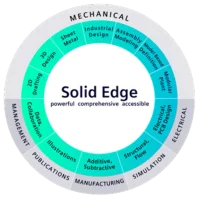
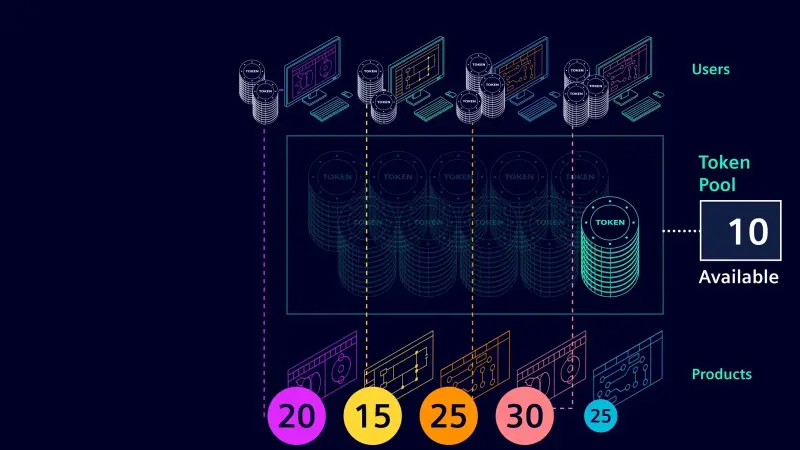
Three named-user tiers, Standard, Advanced and Premium, share one core. Every seat includes cloud data management, and a floating token pool covers the add-ons. Below are the pieces that are new compared with Designcenter Solid Edge on premise, and the measured gains from the AI tools built in.
1. Built-in data management
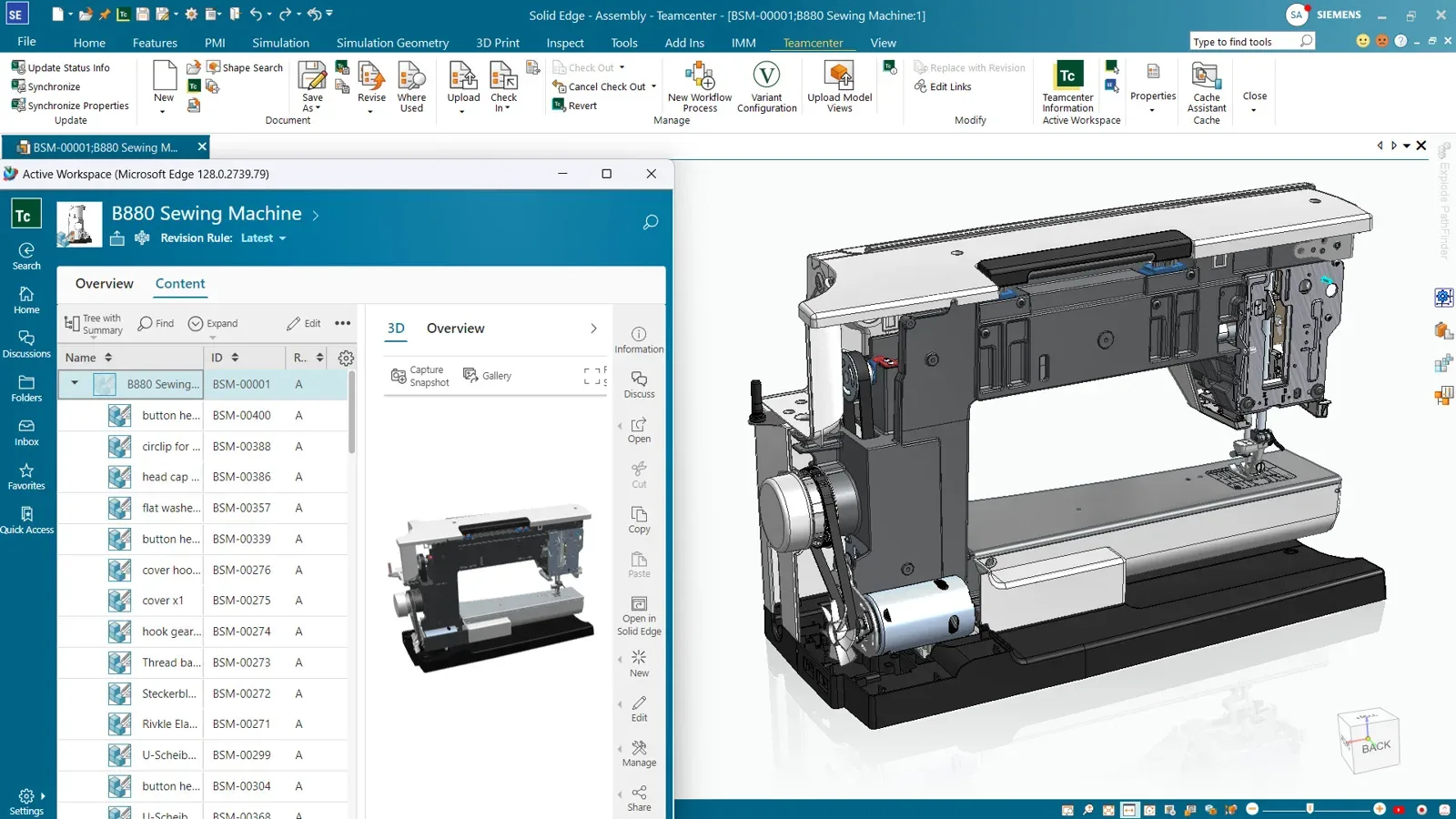
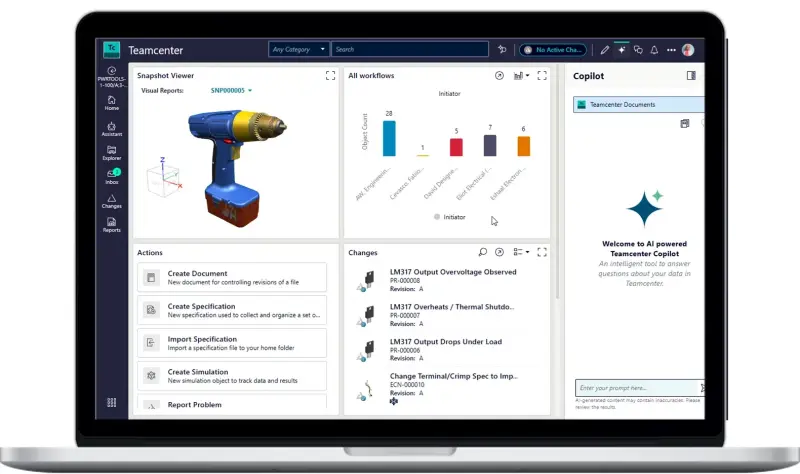
Every seat includes data management based on Teamcenter X. Designers create revisions at milestones, see when a newer revision exists, view a part as saved or at latest, and release it with one click. Business colleagues who do not use CAD can find and view parts, and reviewers take part in tasks and discussions. The result Siemens promises is simple: no more chaos in the shared folder.
Teamcenter Share adds secure ad hoc sharing with people outside the company. If you already run Teamcenter or Teamcenter X, Designcenter X Solid Edge integrates with that instead.
Tremonia Mobility chose it so its teams could reach the software from any location and collaborate across disciplines and sites, which it expects to speed up its overall design process.
2. Design Copilot in the product
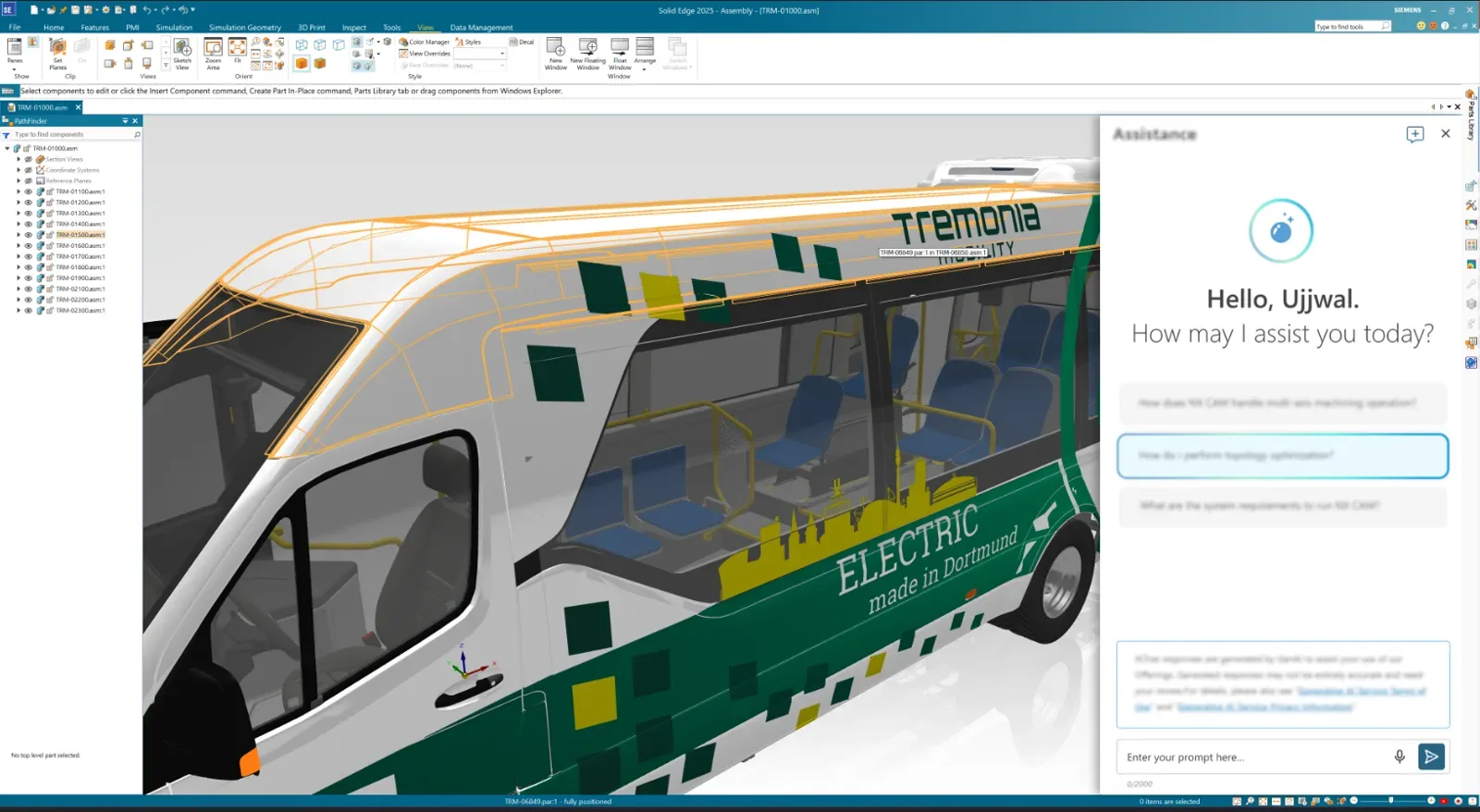
Design Copilot is an in-product assistant. Ask a question in plain language, about a command, a workflow or a modelling approach, and get a context-aware answer inside Designcenter Solid Edge without opening the documentation. It draws on the latest AI models and improves with each release, and it is personalised to the user.
The Siemens measured figures: workflows accelerated by up to 70 percent and information found up to 75 percent faster. First released in Designcenter Solid Edge 2025, it is included with Designcenter X Solid Edge, so there is nothing extra to license before a designer can start asking it questions.
3. Magnetic snap assembly and assembly relations
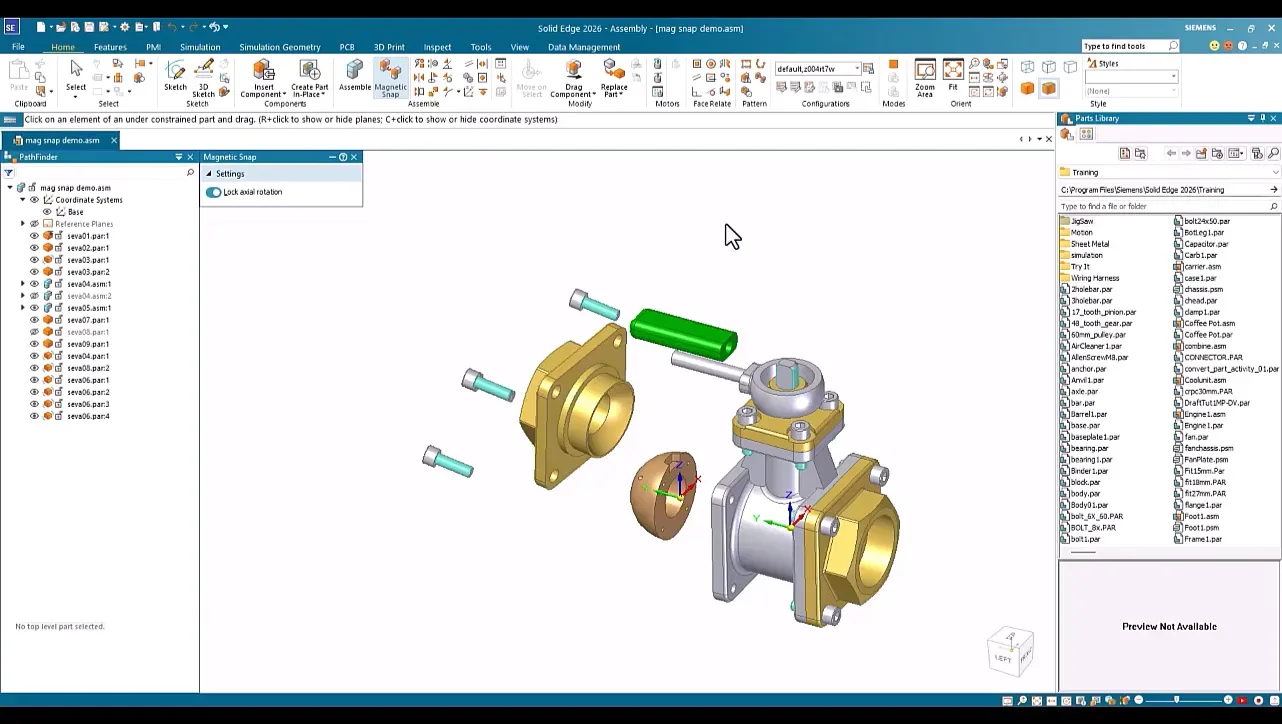
Magnetic Snap, new in Designcenter Solid Edge 2026, places components the way an engineer thinks about them. Drag a part near its mate and the software snaps it to faces, edges and coordinate systems, applying several valid relationships at once from the nearby geometry. Planar, cylindrical, straight-edge and circular-edge snapping are supported.
Siemens reports up to 5 times faster component placement, up to 80 percent fewer manual constraints and up to 40 percent better assembly consistency.
Assembly Relations, from Designcenter Solid Edge 2024, suggests likely relationships from geometry and placement context and offers alternatives. Siemens reports assembly setup time reduced by up to 40 percent and constraint errors by up to 50 percent.
4. Automatic drawings and auto dimensioning
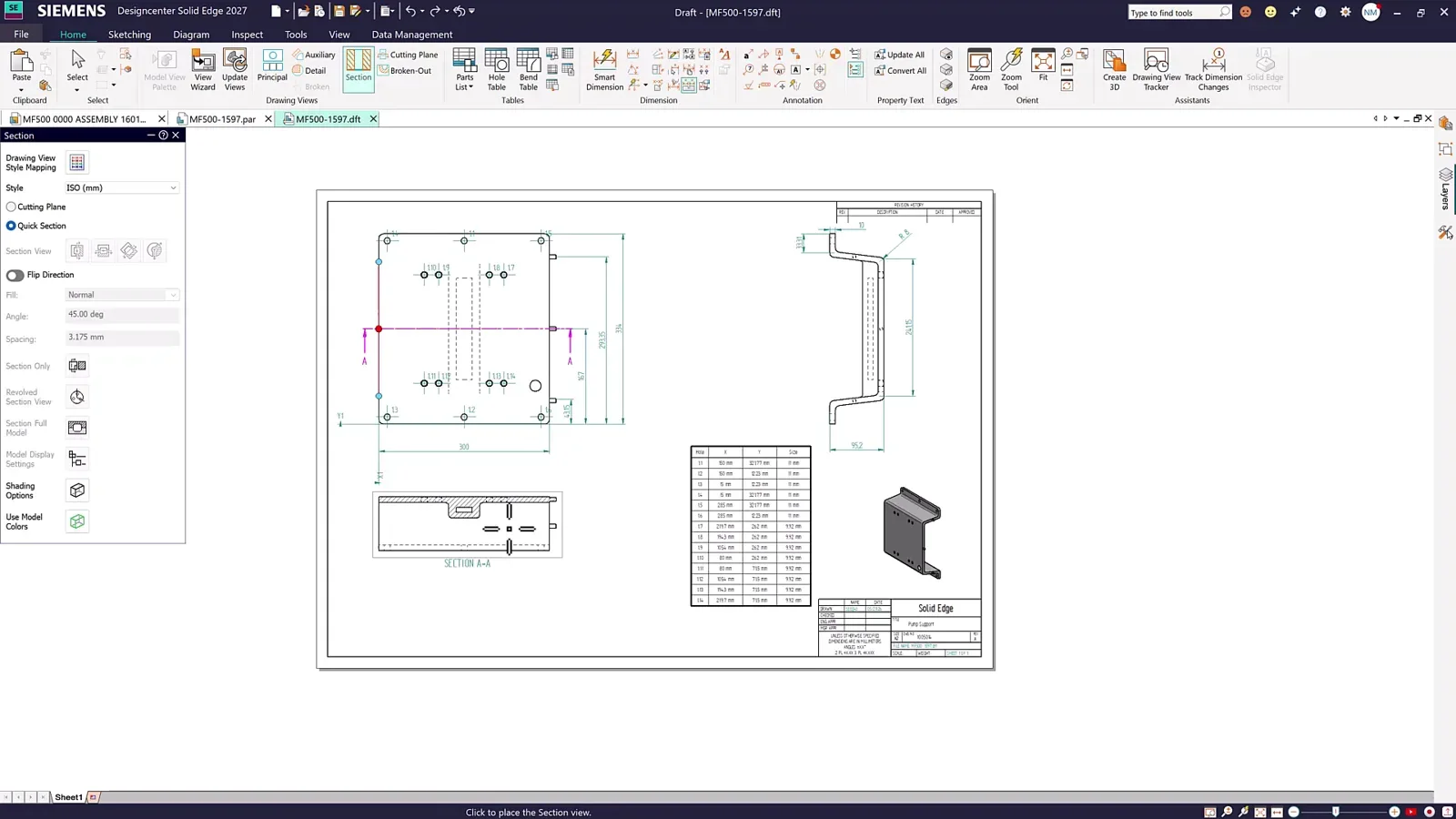
Automatic Drawings, also new in 2026, creates 2D drawings from the 3D model that are 70 to 80 percent complete, with orthogonal, broken and isometric views laid out to drafting standards. The drafter keeps full control of templates, sheet size, views and dimensions before finalising. Siemens reports initial drawing creation accelerated by 70 to 80 percent and repetitive setup reduced by up to 60 percent.
Auto Dimensioning and Checking, from Designcenter Solid Edge 2024, adds the required PMI dimensions to 3D components from geometry and design intent, and reviews part models for missing or incorrect constraints. Siemens reports manual dimensioning reduced by up to 70 percent, constraint errors by up to 50 percent and design validation time by up to 40 percent.
5. Command prediction and CAM operation editing

Command Prediction has been learning from Designcenter Solid Edge users since 2021. It watches the modelling session and surfaces the command most likely to come next, cutting repetitive input. Siemens reports up to 30 percent fewer modelling steps and up to 15 percent less time on repetitive tasks.
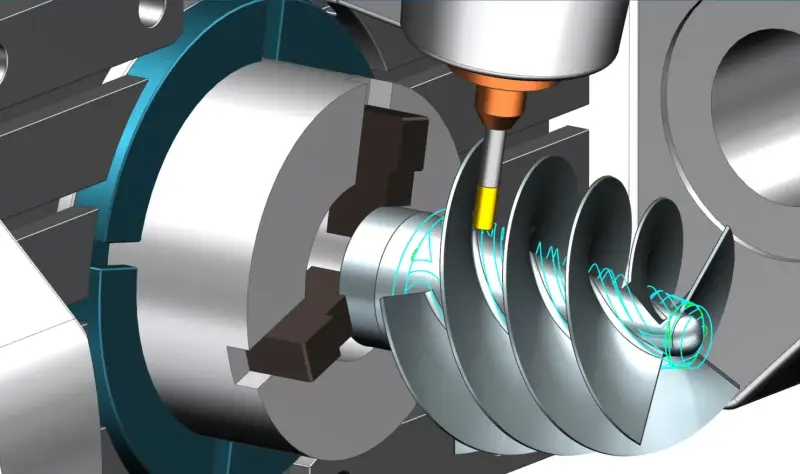
CAM Operation Editing applies the same idea to machining: a prediction node recommends edits based on the toolpaths, operations and machining intent, and adapts to each programmer's style. Siemens reports CAM editing time reduced by up to 35 percent, programming consistency up by up to 30 percent and machining errors down by up to 40 percent.
Under all of it is synchronous technology, the AI-powered design intent recognition Designcenter Solid Edge has had since 2008.
How to get it
Designcenter X Solid Edge is sold as named-user subscription seats in Standard, Advanced and Premium. The value-based licensing add-on is a yearly pack of 10, 25 or 50 tokens covering Generative Design Pro, Point Cloud Visualization, Electrical Routing, PCB Collaboration, Advanced PMI, Simulation Standard and Advanced, XpresRoute, the CATIA V4 and V5 translators and the machinery and piping libraries; each takes a defined number of tokens while in use.
Siemens Xcelerator Academy offers self-paced online Designcenter Solid Edge courses, and NomuTech delivers instructor-led training online or in person anywhere in the Middle East.
NomuTech supplies, implements and trains on Designcenter Solid Edge across the Middle East. If you are on Designcenter Solid Edge today and want to know how your seats map across, talk to us.

Author: NomuTech
Siemens Digital Industries Software Partner