
Simcenter 3D simulation and test fact sheet
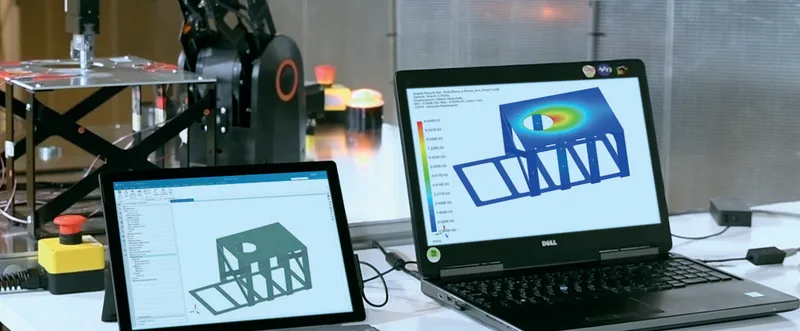
How Simcenter 3D links simulation models with physical test data.
Although listed as a fact sheet, this 11-page document is laid out as a solution guide on Simcenter 3D for simulation and test integration. It explains how finite element models and physical test data can be used together: tests to check and improve the models, and models to plan tests and estimate values that sensors cannot reach.
What the document covers
- Simcenter 3D FE Model Correlation: test model alignment, shape pairing, MAC and X-orthogonality criteria, FRF comparison and pretest planning of sensor and exciter positions
- Simcenter 3D FE Model Updating: automatic updating of FE models to match test data, using geometry, material and property design variables and the HEEDS optimisation algorithm
- Simcenter 3D Smart Virtual Sensing: operational load estimation from a few strain gauges, field estimation at unreachable hot spots, body motion estimation, data fusion and optimal sensor placement
- Exporting smart virtual sensors as executable digital twins (xDT) using the FMU standard for real-time, edge and cloud use, including predictive maintenance
- Links to Simcenter Testlab, Designcenter NX (called NX in the document) and Simcenter 3D Specialist Durability
- Applications in automotive, aerospace ground vibration and static testing, heavy equipment and wind turbine blades, plus a capabilities chart
Who it is for
Useful for test engineers, CAE analysts and validation managers who want better-correlated models, fewer physical sensors or realistic operational loads for durability work.
Related product
 Simcenter 3DStructural, thermal, motion, acoustic and multiphysics simulation in one environment.See the product
More in the Knowledge Center
 Simcenter 3D acoustics tutorial: motion and ATV encapsulationTutorial · 8.1 MB
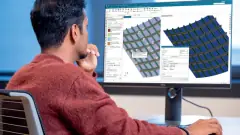 Simcenter 3D Engineering Desktop solution guideSolution guide · 6.6 MB
 Simcenter 3D for additive manufacturing simulation solution guideSolution guide · 1.7 MB
 Simcenter 3D for aerostructures solution guideSolution guide · 1.6 MB
Have a project in mind?
Tell us what you are building and a NomuTech engineer will get in touch.