
Teamcenter integration for Solid Edge fact sheet
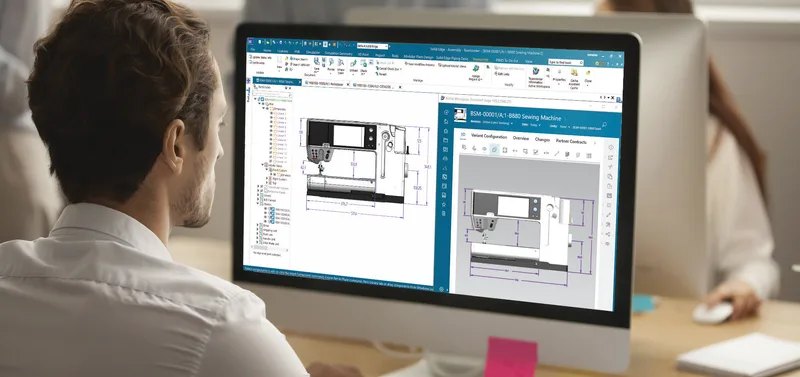
How Solid Edge users check in, revise and release designs through Teamcenter.
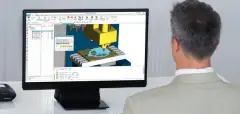
This five-page fact sheet explains the embedded client for Designcenter Solid Edge (called the Solid Edge embedded client in the document), the integration that lets Solid Edge users store, revise and release parts, assemblies and drawings in Teamcenter without leaving the CAD interface. Solid Edge and the client are delivered in a single code base, and the integration works with both Teamcenter and the preconfigured Teamcenter Rapid Start.
What the document covers
- The Teamcenter ribbon in Solid Edge for search, open, check-in and check-out, properties and starting workflows, with Pathfinder showing Teamcenter status
- Revision control, release processes, offline working and "where used" impact analysis
- Bulk loading of existing Solid Edge data with Add to Teamcenter, property synchronisation and syncing assembly structures with the Teamcenter product structure
- Automatic creation of JT files for parts and DXF, DWG and PDF files for drafts for downstream users
- Concept Modelling to try design ideas without committing parts to Teamcenter, and geometric shape search for part reuse as an add-on
- Hosted Active Workspace, integration with Teamcenter Integrated Material Management, and support for LAN and WAN environments
Who it is for
Solid Edge design teams moving from file-based or workgroup data management to PLM, and the CAD and PLM administrators who set up and maintain that environment, particularly in small and medium-sized businesses.
Related product
 Designcenter Solid EdgeMechanical and electrical design for small and mid-size teams, with synchronous technology.See the product
More in the Knowledge Center


Have a project in mind?
Tell us what you are building and a NomuTech engineer will get in touch.